Official demo guide
1666 Amsterdam Demo Download: Official Prologue Guide
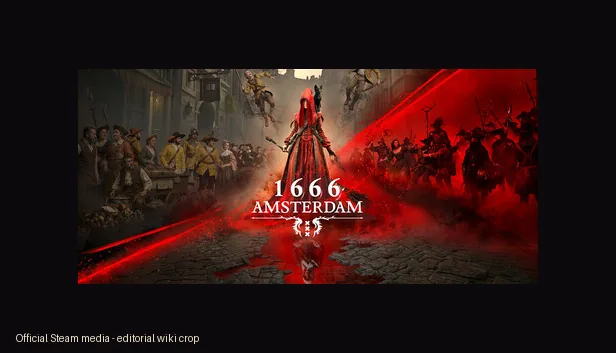
Use this guide when you want the 1666 Amsterdam demo download without landing on fake installers. The official public demo is 1666: Amsterdam (Prologue), available through official store pages rather than mirrors, APKs, cracked builds, or browser-play clones.
Quick answer
The official 1666 Amsterdam demo is the free Prologue.
If you searched for a 1666 Amsterdam demo download, the safe answer is not a random file. The official public sample is 1666: Amsterdam (Prologue), a free store release connected to Panache Digital Games' full 1666: Amsterdam project. Use Steam or Epic Games Store pages so the launcher handles ownership, updates, install permissions, account safety, refunds where applicable, and store-community context.
This page is deliberately narrower than the Prologue walkthrough. The walkthrough explains how to approach the short narrative demo once it is installed. This guide focuses on where to get it, what official sources currently verify, how Steam and Epic differ for players, what version information is not publicly exposed, and which download claims should be ignored.
As of the July 22, 2026 check for this build, official public pages verify the Prologue release and official store paths, but they do not give a stable public version number, installer filename, checksum, or file size that this wiki can safely repeat. For that reason, this guide avoids phrases like latest safe build, verified direct download, or virus-scanned file unless an official source actually publishes those details later.
Version freshness gate
What was checked before adding this download-intent page
Because this is a game/demo download-intent page, version freshness takes priority over writing another generic guide. The checked source types were official Steam pages for the Prologue and full game, official Epic Games Store pages, and the Panache Digital Games site. The result is conservative: the Prologue is the current public demo path, but official public store pages do not expose a reusable version number or file-size field for this wiki.
No older local version field had to be synchronized because the site already linked to official store pages rather than hosting files. The page therefore records the verified source date, the public Prologue release date, the official-source download paths, and the missing fields that should not be invented.
- Checked date
- 2026-07-22
- Public demo
- 1666: Amsterdam (Prologue)
- Prologue release
- June 5, 2026
- Public version number
- Not exposed by checked official store pages
- File size / checksum
- Not safely repeatable from official public pages
- Official path
- Steam or Epic store page, not mirrors
Safe install path
How to download the 1666 Amsterdam demo safely
Use these steps before clicking any page that promises a direct installer, APK, torrent, or browser version.Start with the store page, not a search snippet
Open the official Steam Prologue page or Epic Games Store Prologue page. Search snippets can mix the full game, Prologue, trailers, review videos, and unrelated download pages.
Check the exact product name
The playable public sample should say 1666: Amsterdam (Prologue). The full game page is useful for wishlisting and requirements, but it is not the same store item as the free demo.
Let the launcher handle install and updates
Install through Steam or Epic rather than a file host. The launcher is the trust layer for game ownership, updates, repair, uninstall, and future build changes.
Read requirements before judging performance
If your PC is near the baseline, check the system requirements guide before downloading and use the Prologue as a practical compatibility test.
Keep claims separated
A video can show gameplay, a store can provide the demo, and a news post can explain context. Do not treat a video description or fan post as an official download source.
Steam vs Epic
Which official store should you use?
Both official paths are valid. Choose based on launcher preference and the source detail you need.| Store | What you get | Best for |
|---|---|---|
| Steam Prologue | The free public Prologue, Steam library install, community hub context, screenshots, trailer placement, and app identity. | Players who use Steam, want community context, or want the clearest PC requirements link nearby. |
| Epic Games Store Prologue | An official Epic listing for the Prologue with launcher-based install and store ownership. | Players who prefer Epic or want a second official source before trusting availability claims. |
| Full game store pages | Wishlist, screenshots, trailers, requirements, release status, and publisher/developer context for the future full game. | Players checking Early Access or final-release timing rather than installing the current demo. |
| Third-party mirrors | Unverified files, copied artwork, misleading buttons, repacks, cracks, APKs, or unrelated installers. | No recommended use; avoid them. |
Official media
What the demo looks like before you install
The visuals below are official media used as editorial context. They are not fake screenshots, AI mockups, or local game files.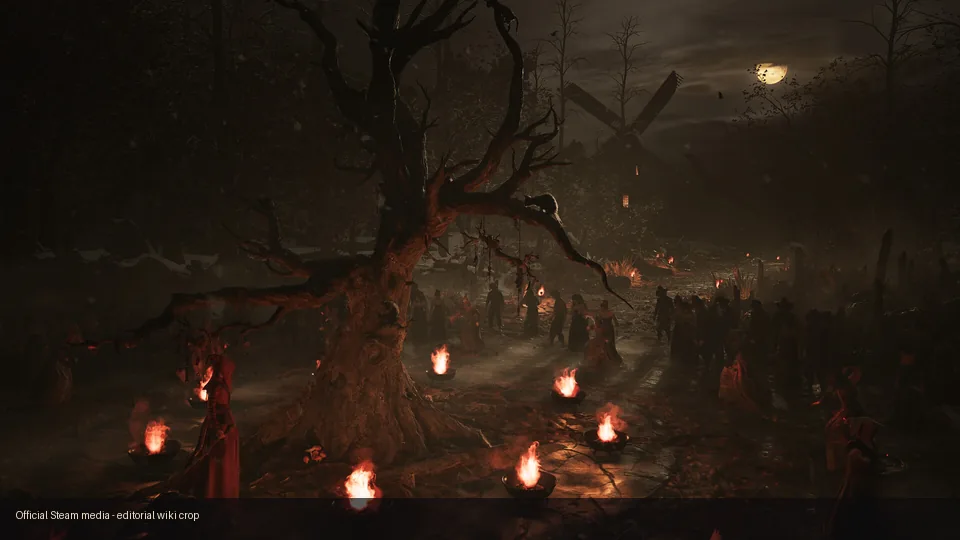
Official trailer embed. Use it to preview tone and setting, not as a replacement for the playable Prologue.
Fake download warnings
Download pages to avoid
New PC games often attract pages that rank for download, demo, free, APK, crack, torrent, and play online. Some are harmless index pages, but many use official artwork to make unrelated installers look legitimate. A safe 1666 Amsterdam guide should route download intent to official store pages and explain what not to trust.
Do not install a file because a page repeats the right title, shows a trailer thumbnail, or says latest version without proof. If a claim cannot point to Steam, Epic, Panache, or another first-party source, treat it as unverified. This is especially important because the full game and Prologue are separate public items.
- Avoid APK claims; this guide verifies PC store paths only.
- Avoid cracks, repacks, torrents, password archives, and mirror installers.
- Avoid browser-play pages unless Panache or an official store announces one.
- Do not trust file size, checksum, or version claims without a first-party source.
- Use the full-game store page for wishlist status, not for fake early unlocks.
Before you play
Four checks before launching the Prologue
These quick checks prevent most confusion after a safe install.Check PC requirements
Confirm Windows, GPU, RAM, DirectX 12, SSD, and storage expectations before judging the demo.
Use the walkthrough after install
The walkthrough is for first-run pacing, choices, and spoiler-light story context after the demo is ready.
Expect a short sample
The Prologue is a narrative introduction, not the complete Early Access investigation loop.
Keep source notes
If a page claims a newer version, compare it against official Steam, Epic, or Panache information first.
Official sources
Where to verify the demo download
These are the official or first-party sources used for this page. Store labels can change, so use them again before repeating version, release, or download claims.
Next reading
After downloading the demo
Prologue 공략
Play the short narrative sample with spoiler-light route and choice guidance.
Open walkthroughSystem requirements
Check PC specs, DirectX 12, SSD, RAM, GPU, and performance expectations.
Open requirementsSteam and platform guide
Compare Steam, Epic, full-game pages, console uncertainty, and store claims.
Open platform guideGameplay guide
Understand investigation, witchcraft, Esbat encounters, and Prologue limitations.
Open gameplay guideFAQ